A mail contact in Exchange Online is a directory object that holds an external email address, such as a vendor, partner, or client. It appears in your Global Address List (GAL) so internal users can find and email that person without anyone typing the address by hand. After years of managing Exchange Online tenants, I can say the it is one of the most misunderstood recipient types. Admins confuse it with mail users, guest accounts, and Outlook personal contacts, and the result is a messy address book and mail flow problems.
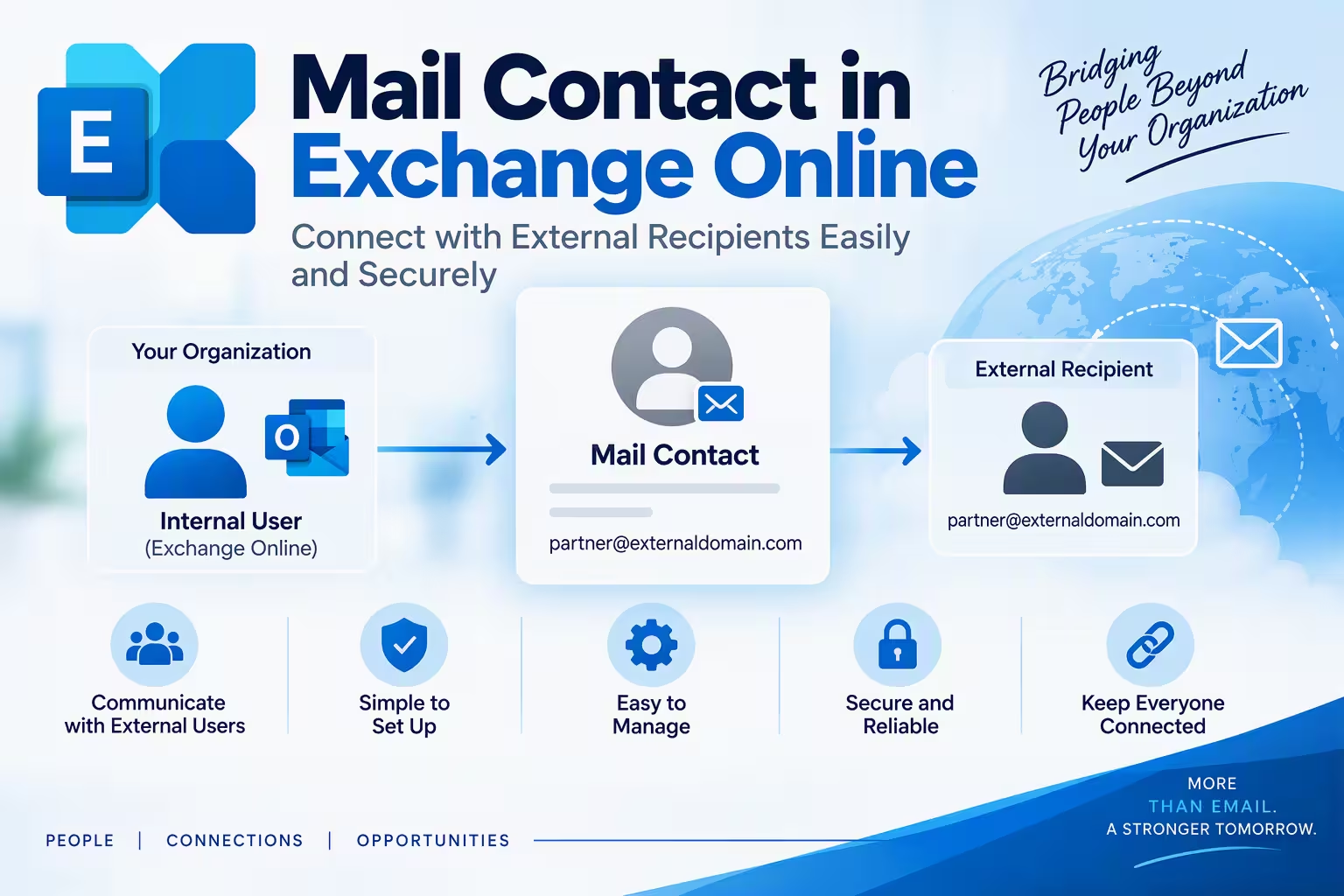
This guide covers what a mail contact is, when to use one, how to create and manage it in the Exchange admin center and PowerShell, and how to fix the errors you’re most likely to hit.
Table of Contents
What Is a Mail Contact in Exchange Online?
A mail contact is a mail-enabled object in Microsoft Entra ID and Exchange Online with an external email address. It has three defining traits:
- It has no mailbox and no license in your tenant.
- It has no sign-in credentials, so the person cannot log in to your Microsoft 365 environment.
- Email sent to it is forwarded to the external address you define.
In short, a mail contact is a pointer in your directory, not a user. That makes it free, lightweight, and ideal for people outside your organization who need to be visible in the GAL.
Mail Contact vs Mail User vs Guest User
Choosing the wrong object type is the most common design mistake I see. Here’s how to pick:
| Feature | Mail Contact | Mail User | Guest User |
|---|---|---|---|
| Has sign-in credentials | No | Yes | Yes (external identity) |
| Needs a license | No | No (for the object itself) | No (for basic collaboration) |
| Can access Microsoft 365 resources | No | Yes | Yes |
| Appears in GAL | Yes | Yes | Optional |
| Best for | Simple external address visibility | External users who need sign-in to resources | Collaboration in Teams, SharePoint, and Groups |
Use a mail contact when you only need people to find an external address in the GAL. Use a guest user when the person must collaborate in Teams or SharePoint. Use a mail user when the person has a sign-in identity but their mail is hosted elsewhere.
Also remember that a mail contact is different from an Outlook personal contact. A personal contact lives in a user’s own mailbox and is visible only to them. A mail contact is an organization-wide directory object.
Why Use a Mail Contact? Real-World Scenarios
I recommend a mail contact in these situations:
- Vendors and partners: Staff see the external supplier’s address in the GAL without it being stored in personal address books.
- Distribution lists: You can add a mail contact as a member of a distribution group so external recipients receive internal announcements.
- Mergers and migrations: During staged migrations, mail contacts represent users whose mailboxes haven’t moved yet or live in another tenant.
- Shared external addresses: A single address, like a support desk at a client, stays consistent across the whole company.
How to Create a Mail Contact in the Exchange Admin Center
Follow these steps in the new Exchange admin center at https://admin.cloud.microsoft/exchange
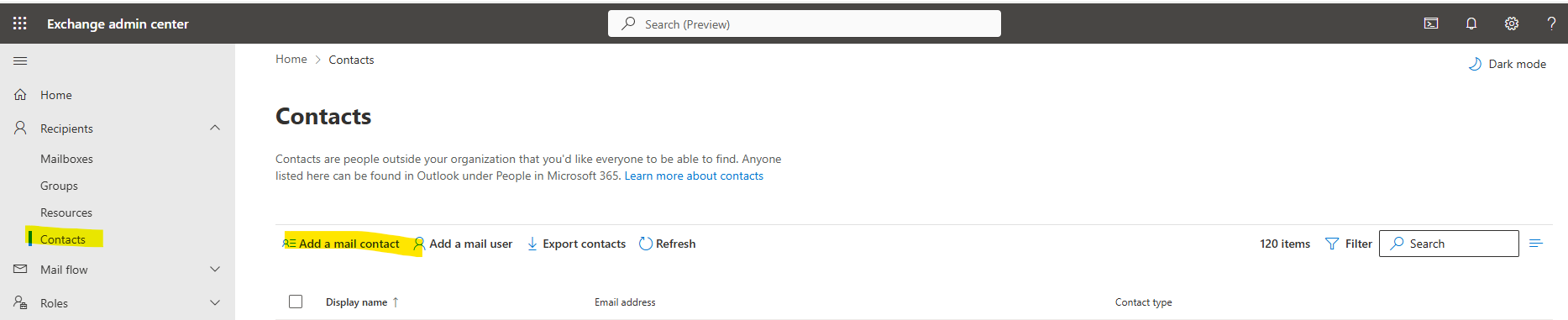
- Sign in with an account that has the Recipient Management or Exchange Administrator role.
- Go to Recipients > Contacts.
- Select Add a contact and choose Mail contact.
- Enter the First name, Last name, Display name, Alias, and External email address.
- Select Save.
The mail contact usually appears in the GAL after the next address book update, though the offline address book (OAB) in Outlook can take up to 24 hours to refresh.
Create a Mail Contacts with PowerShell
For anything beyond one or two entries, PowerShell is faster and more repeatable. First, connect:
Connect-ExchangeOnline -UserPrincipalName admin@yourdomain.comThen create the mail contact:
New-MailContact -Name "Priya Sharma" -DisplayName "Priya Sharma (Contoso Vendor)" -ExternalEmailAddress "priya.sharma@contoso.com" -Alias "priya.sharma.contoso"To add details such as company, title, or phone number, use Set-Contact, because those attributes belong to the underlying contact object:
Set-Contact -Identity "Priya Sharma" -Company "Contoso Ltd" -Title "Account Manager" -Phone "+91-22-5555-0100"Bulk Import from CSV
When migrating hundreds of external addresses, a CSV import saves hours. Your CSV needs the columns Name, DisplayName, Email, and Alias:
Import-Csv .\contacts.csv | ForEach-Object { New-MailContact -Name $_.Name -DisplayName $_.DisplayName -ExternalEmailAddress $_.Email -Alias $_.Alias }Always test with a few rows first. A duplicate alias will cause the cmdlet to throw an error for that row.
Managing a Mail Contact Day to Day
View and Audit
Get-MailContact -ResultSize Unlimited | Select DisplayName, ExternalEmailAddress, HiddenFromAddressListsEnabledUpdate the External Address
When a partner changes domains, update the target without recreating the object:
Set-MailContact -Identity "Priya Sharma" -ExternalEmailAddress "priya@newcontoso.com"Hide a Mail Contact from the GAL
Set-MailContact -Identity "Priya Sharma" -HiddenFromAddressListsEnabled $trueThis is useful for contacts that exist only to support mail flow or group membership, such as migration placeholders.
Remove a Mail Contact
Remove-MailContact -Identity "Priya Sharma" -Confirm:$falseAdding a Mail Contact to Groups
A mail contact can be a member of distribution groups, mail-enabled security groups, and dynamic distribution groups (through filters). One limitation catches many admins: a Microsoft 365 Group cannot include a mail contact as a member. If you need an external person in a Microsoft 365 Group, invite them as a guest user instead.
Add-DistributionGroupMember -Identity "Vendor-Updates" -Member "Priya Sharma"Mail Contact in Hybrid Environments
If you run Exchange hybrid with Microsoft Entra Connect, synchronized mail contacts are mastered on-premises. That means:
- You must create, edit, and delete them in on-premises Active Directory or Exchange, not in Exchange Online.
- Attempts to change a synced object in the cloud will fail with a message that the object is being synchronized from your on-premises organization.
- Changes can take up to 30 minutes to appear after a sync cycle, or you can force one with
Start-ADSyncSyncCycle -PolicyType Delta.
Know where an object is mastered before you troubleshoot it. This single check solves a large share of support tickets.
Common Mail Contact Errors and Fixes
“The proxy address is already being used.”
Another recipient, such as a mailbox, group, or other contact, already holds that SMTP address. Search for it with Get-Recipient -Identity user@domain.com and remove or change the conflicting object.
“The operation on mailbox failed because it’s out of your scope” or permission errors.
Your account lacks the required role. Assign the Mail Recipients or Recipient Management role group.
Mail contact not showing in Outlook.
The OAB hasn’t refreshed. Outlook in cached mode downloads the OAB roughly every 24 hours. Test with Outlook on the web, which reads the live directory.
Email to the mail contact bounces.
The problem is usually the external address itself. Check for typos, confirm the remote mailbox exists, and review the NDR for the remote server’s response. Also check whether a transport rule or outbound spam policy is blocking external forwarding.
Security and Governance Best Practices
A mail contact looks harmless, but sloppy management creates risk:
- Use a naming convention. Something like
Display Name (Company)makes external entries instantly recognizable and reduces mis-sent mail to the wrong party. - Audit regularly. Export
Get-MailContactquarterly and remove stale vendors and former partners. - Control group membership. Adding a mail contacts to a broad internal distribution list can leak confidential internal mail outside the company. Restrict who can send to those groups.
- Apply transport rules and DLP. Use data loss prevention policies to flag sensitive content addressed to external recipients, including mail contacts.
- Document ownership. Assign an owner for each external entry using the
Notesor custom attribute fields.
Frequently Asked Questions (FAQ)
1. What is a mail contact in Exchange Online?
It is a mail-enabled directory object that stores an external email address and displays in the GAL. It has no mailbox, no license, and no sign-in credentials.
2. Does a mail contact require a Microsoft 365 license?
No. it is a directory object, so it consumes no license.
3. What is the difference between a mail contact and a mail user?
A mail user has a sign-in identity in your tenant and can access resources, while a mail contact has no credentials and serves only as an address pointer.
4. Can a mail contact be added to a Microsoft 365 Group?
No. Microsoft 365 Groups don’t accept mail contacts as members. Add the person as a guest user instead. Mail contacts can join distribution groups and mail-enabled security groups.
5. Why can’t I edit a mail contact in Exchange Online?
It is most likely synchronized from on-premises Active Directory. Synced objects must be edited on-premises and then synchronized to the cloud.
6. How do I hide a mail contact from the address list?
Set-MailContact -Identity "Name" -HiddenFromAddressListsEnabled $true7. How long does a new mail contact take to appear in Outlook?
It appears immediately in Outlook on the web, but Outlook desktop in cached mode may take up to 24 hours because of the OAB update schedule.
Final Thoughts
Used correctly, a mail contact is the cleanest way to surface external people in your Exchange Online directory without spending a license or opening access to your tenant. Pick the right object type, name entries consistently, manage them in the right place for hybrid setups, and audit them on a schedule. Do that, and your address book stays accurate and your mail flow stays predictable.
Distribution List in Exchange Online: Best Proven Setup Guide
Exchange Online Connector: Proven Guide to Secure Mail Flow
Exchange Online Archive: The Ultimate Guide to Stop Losing Critical Emails Forever
