Conditional Access interview questions now appear in almost every hiring loop for Microsoft 365, Entra ID, and cloud security roles. Conditional Access is the policy engine at the center of Microsoft’s Zero Trust model. It decides, sign-in by sign-in, whether a user gets in, gets challenged, or gets blocked. If you can explain it clearly and defend your design choices, you will stand out from candidates who only know where the buttons are.
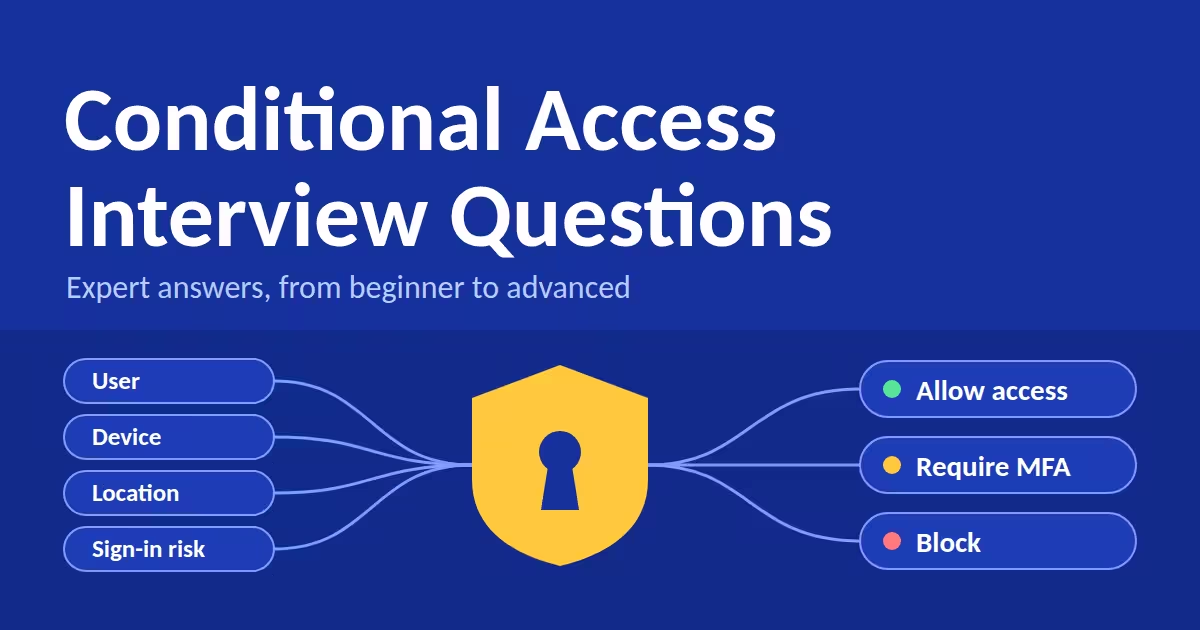
Conditional Access Interview Questions
This guide covers the Conditional Access interview questions that hiring managers ask most often, organized from beginner to advanced. Each answer is written the way a senior engineer would say it.
Table of Contents
Why Conditional Access Interview Questions Matter
Identity is the new perimeter. Attackers rarely break in anymore; they log in with stolen passwords, replayed tokens, or fatigued users approving prompts. Hiring managers use Conditional Access interview questions to test three things:
- Technical depth: do you understand signals, decisions, and enforcement?
- Operational judgment: can you roll out policies without locking out the CEO?
- Security thinking: do you design for attackers, not just for compliance checklists?
Keep those three lenses in mind as you read the answers below.
Beginner Conditional Access Interview Questions
1. What is Conditional Access?
Conditional Access is Microsoft Entra ID’s policy engine. It evaluates signals such as user, device, location, application, and risk, then makes a decision: block access, or grant it with requirements such as MFA or a compliant device. Think of it as “if this, then that” for authentication. It is enforced after first-factor authentication completes, so it is not a first line of defense against attacks like denial-of-service.
2. What licenses are required?
Conditional Access requires Microsoft Entra ID P1. Risk-based policies (sign-in risk and user risk) require Entra ID P2 because they rely on Identity Protection. Conditional Access for workload identities requires the Workload Identities Premium license.
3. How do security defaults differ from Conditional Access?
Security defaults are a free, preconfigured baseline: MFA registration, MFA for admins, and blocking legacy authentication. They cannot be customized. Conditional Access gives you granular control over users, apps, conditions, and controls. You cannot run both at once, so you must disable security defaults before creating Conditional Access policies.
4. What signals can a policy use?
- Users, groups, directory roles, and workload identities
- Target resources (cloud apps, user actions, authentication contexts)
- Network and named locations
- Device platform and device filters
- Client apps and authentication flows
- Sign-in risk, user risk, and insider risk
5. What are grant controls?
Grant controls decide the outcome. You can block access, or grant access while requiring one or more of the following: MFA, an authentication strength, a compliant device, a Microsoft Entra hybrid joined device, an app protection policy, a password change, or acceptance of terms of use. You choose whether the user must satisfy all selected controls or just one.
6. What are session controls?
Session controls limit what happens after access is granted. Examples include sign-in frequency, persistent browser sessions, app-enforced restrictions, Conditional Access App Control through Microsoft Defender for Cloud Apps, and continuous access evaluation settings.
7. What is report-only mode, and why does it matter?
Report-only mode evaluates a policy against real sign-ins without enforcing it. Results appear in the sign-in logs and the Conditional Access Insights workbook. It is the safest way to predict the impact of a policy before turning it on, and any answer that skips it will sound reckless to an interviewer.
Intermediate Conditional Access Interview Questions
Once you clear the basics, interviewers shift their Conditional Access interview questions toward design trade-offs and real operational scenarios.
8. How does Entra ID evaluate multiple policies?
All applicable policies are evaluated together; there is no ordering or priority. The grant controls from every matching policy must be satisfied, so the requirements combine with AND logic. If any matching policy says block, the block wins. This is why overlapping policies can produce surprising lockouts.
9. What are break-glass accounts, and how do you handle them?
Break-glass accounts are emergency cloud-only accounts with permanent Global Administrator rights, used if normal admin access fails. Keep at least two, and exclude them from Conditional Access policies that could cause a lockout, such as a failed MFA provider or a misconfigured block policy. Compensate for the exclusion by protecting them with phishing-resistant credentials like FIDO2 keys, storing them securely, and alerting on every sign-in.
10. How do you block legacy authentication?
Legacy protocols such as POP, IMAP, and SMTP AUTH cannot perform MFA, which makes them a favorite target for password spray attacks. Create a policy targeting all users and all resources, set the client apps condition to “Exchange ActiveSync clients and other clients,” and set the grant control to block. Validate it in report-only mode first, and check the sign-in logs for service accounts or old devices still depending on those protocols.
11. How do named locations work, and should you trust them?
Named locations let you define IP ranges or countries. You can mark IP ranges as trusted and use them to include or exclude locations in policies. A strong answer adds a caveat: network location alone is a weak trust signal. Under Zero Trust, “on the corporate network” should not automatically bypass MFA.
12. What is the difference between a compliant device and a hybrid joined device?
A hybrid joined device is domain-joined on-premises and registered in Entra ID, which proves it is managed by your organization. A compliant device has been evaluated by Intune (or a partner MDM) against your compliance policy, covering encryption, OS version, and threat level. Compliance is the stronger posture signal and also works for cloud-only and BYOD scenarios.
13. What is the difference between sign-in frequency and persistent browser sessions?
Sign-in frequency controls how often a user must re-authenticate. Persistent browser session controls whether the session survives after the browser closes. Persistent browser session only works when “All resources” is selected, and it cannot be combined with a sign-in frequency setting that overrides it.
14. How do you troubleshoot a Conditional Access failure?
Start with the user’s entry in the sign-in logs and open the Conditional Access tab to see which policies applied and which controls failed. Then use the What If tool to simulate the user, app, device, and location, and confirm which policies match. Finally, review report-only results and recent policy changes in the audit log.
Advanced Conditional Access Interview Questions
Senior roles bring the hardest Conditional Access interview questions, focused on attack resistance, automation, and modern identity threats.
15. How are authentication strengths different from “Require MFA”?
“Require MFA” accepts any MFA method, including SMS, which is vulnerable to SIM swapping and phishing. Authentication strengths let you specify exactly which method combinations are acceptable. Microsoft provides three built-in strengths (MFA, Passwordless MFA, and Phishing-resistant MFA) and supports custom ones. For administrators and sensitive apps, require phishing-resistant methods such as FIDO2 passkeys, Windows Hello for Business, or certificate-based authentication.
16. What is Continuous Access Evaluation (CAE)?
Traditionally, an access token stayed valid until it expired, often for about an hour, even after the user was disabled. CAE lets supported services such as Exchange Online, SharePoint Online, and Teams react to critical events in near real time. These events include account deletion, password reset, token revocation, and high user risk. It also supports strict location enforcement, so a token used from an unexpected network can be rejected quickly.
17. What is an authentication context?
An authentication context lets you apply Conditional Access to a specific action or data inside an app, rather than the whole app. For example, you can require a compliant device and phishing-resistant MFA only when someone opens a highly confidential SharePoint site, activates a privileged role in PIM, or accesses content with a specific sensitivity label. It enables step-up authentication without burdening everyday users.
18. How does risk-based Conditional Access work?
Entra ID Protection scores each sign-in and each user for risk using signals such as leaked credentials, anonymous IP addresses, and impossible travel. A sign-in risk policy might require MFA at medium risk or above. A user risk policy might require a secure password change at high risk. These require Entra ID P2. Microsoft’s guidance is to configure these controls through Conditional Access rather than the legacy Identity Protection policies, because Conditional Access offers more flexibility.
19. How do you defend against token theft?
Attackers increasingly steal session tokens through adversary-in-the-middle phishing or malware and replay them to bypass MFA. Layer your defenses:
- Require phishing-resistant authentication strengths
- Require compliant devices so stolen tokens are harder to reuse elsewhere
- Enable CAE and strict location enforcement
- Use token protection where supported, which binds tokens to the device (supported apps and platforms are limited, so verify current documentation)
- Use compliant network checks with Global Secure Access where licensed
20. Can Conditional Access protect service principals?
Yes, with the Workload Identities Premium license. You can restrict single-tenant service principals by location or risk level. Managed identities are not supported. This matters because service principals cannot do MFA, so location and risk controls are your main guardrails.
21. How do you manage Conditional Access at scale?
Treat policies as code. Export and deploy them through the Microsoft Graph API, PowerShell, Terraform, or Microsoft365DSC. Keep them in version control, require peer review, deploy to report-only first, and promote through a pilot group before broad enforcement. Use consistent naming (for example, CA001-Require MFA-AllUsers-AllApps) and document every exclusion with an owner and an expiry date.
Scenario-Based Conditional Access Interview Questions
Scenario-based Conditional Access interview questions reveal how you think under pressure. Here are three that come up often.
Scenario 1: A new policy locked out administrators. What do you do?
Regain access with a break-glass account, then disable or switch the policy to report-only. Use the sign-in logs and What If tool to find the conflict, whether that was a missing exclusion, an unregistered MFA method, or an overlapping block policy. Then redeploy through a pilot group with a documented rollback plan.
Scenario 2: Executives complain about constant MFA prompts. How do you fix it?
Check the sign-in logs to see why each prompt occurred. Common causes are a short sign-in frequency setting, unmanaged devices that cannot present a device claim, or persistent sessions being disabled. Improve the experience without weakening security: enroll devices in Intune so compliant-device claims satisfy requirements, deploy Windows Hello for Business or passkeys, and set sensible sign-in frequency for trusted, compliant devices.
Scenario 3: Design a baseline policy set for a 5,000-user organization.
A defensible baseline includes:
- Require MFA for all users
- Require phishing-resistant authentication for administrators
- Block legacy authentication
- Require MFA for Azure and Microsoft admin portals
- Require a compliant device or app protection policy for access from unmanaged devices
- Block or step up on medium and high sign-in risk, and force password change on high user risk
- Secure security-info registration with a user action policy
- Apply tailored guest and external user policies
- Exclude break-glass accounts, with monitoring
Then explain your rollout: report-only, pilot, phased enforcement, and monitoring through Insights and alerts.
How to Prepare for Conditional Access Interview Questions
Most Conditional Access interview questions reward candidates who explain the “why,” not just the “what.” Practice these habits:
- Build a lab. A trial Microsoft 365 tenant lets you create, break, and fix real policies.
- Speak in Zero Trust terms. Verify explicitly, use least privilege, assume breach.
- Always mention safe rollout. Report-only mode, pilot groups, and break-glass accounts show operational maturity.
- Bring a story. Describe a policy you designed, a problem you diagnosed in the sign-in logs, or a risk you reduced.
- Rehearse aloud. Practice Conditional Access interview questions out loud, because clear explanations matter as much as correct ones.
- Study for SC-300. The Microsoft Identity and Access Administrator exam covers much of this material.
Conditional Access Interview Questions: FAQs
Are Conditional Access interview questions only for security engineers?
No. Identity engineers, Microsoft 365 administrators, cloud architects, and IT consultants all face them, because access policy touches every workload.
Which certification helps most?
SC-300 (Microsoft Identity and Access Administrator) is the most directly relevant. SC-900 is a good foundation, and MS-102 helps for Microsoft 365 administration roles.
How deep should my answers go?
Give a clear one- or two-sentence definition first, then add a real-world example or trade-off. Interviewers want to see judgment, so go deeper only if they ask.
Final Thoughts
Strong answers to Conditional Access interview questions combine accurate technical knowledge with sound operational judgment. Know your signals and controls, explain how policies combine, design for attackers using phishing-resistant methods and CAE, and always describe a safe rollout. Work through the Conditional Access interview questions above in a lab tenant until you can answer them without notes, and you will walk into your next interview with real confidence.
Product features and licensing change often, so verify details against Microsoft’s current documentation before quoting them in an interview.
How to Become a Microsoft 365 Support Engineer: Step-by-Step Career Guide
Privileged Identity Management Setup Guide
20 Exchange Online Real-World Troubleshooting Scenarios – Expert Deep Dive
